
Deepgram speech-to-text
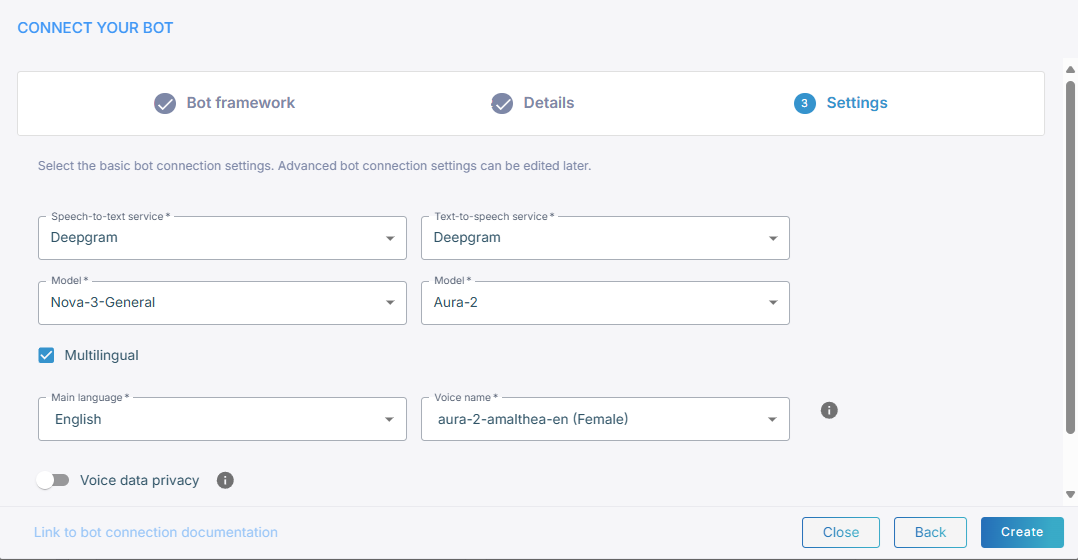
Deepgram is one of the speech-to-text services you can select for a bot connection, while creating the connection or later on its Settings tab.
To use Deepgram for speech-to-text:
-
From the 'Speech-to-text provider' drop-down list, select Deepgram.
-
From the 'Model' drop-down list, select the recognition model, for example Nova-3-General.
-
Under Speech-to-Text (STT) Settings, set the following parameters:
- 'End-of-turn timeout for recognitions without terminating punctuation (ms)': The time to wait before ending a recognition when no terminating punctuation is detected. The default is 2000 ms, and the range is from 500 to 6000 ms.
- 'End-of-turn timeout for recognitions with terminating punctuation (ms)': The time to wait before ending a recognition when terminating punctuation is detected. The default is 100 ms, and the range is from 0 to 6000 ms.
For how Live Hub uses the two timeouts to decide that the caller has finished speaking, see Deepgram speech provider.
Then set the text-to-speech service.
Advanced parameters
For the advanced configuration parameters Deepgram accepts, see Deepgram speech provider.